
CrimeRadar: Dispatch Alerts
Scoopz LLCNews & Magazines
4.86.57K Reviews
- Version
- 26.42.1
- Installs
- 1.00M
- Age Rating
- Everyone
Screenshots
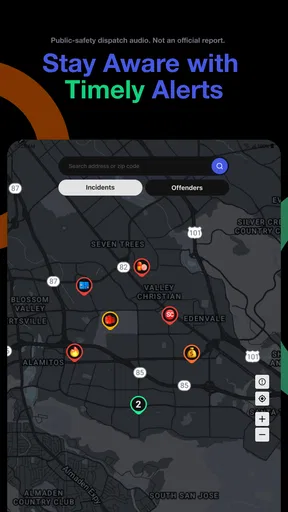
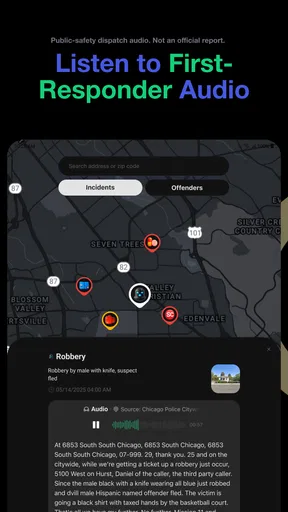
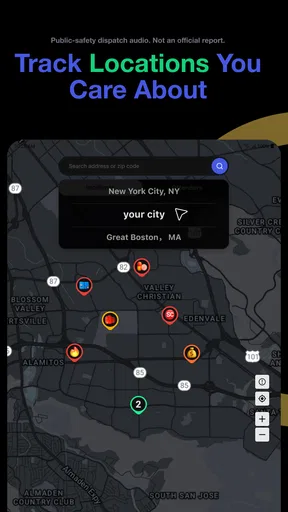
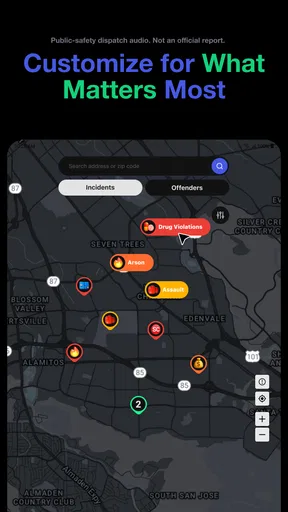
Our Review of CrimeRadar: Dispatch Alerts
 Analysis by Appyee
When a household shares information about local safety, the useful question is not just what is happening nearby; it is how each person will interpret an alert and decide what to do next. I see CrimeRadar as a neighborhood-awareness tool, not a family tracking service or an emergency response system. That distinction matters when several people use the same phone, compare notes, or rely on a map before heading out.
A shared screen can help, but it needs context
Imagine a household checking the map before one person walks home and another drives across town. Looking at the same local picture can give everyone a common starting point for a conversation. The app is most useful when the household treats an alert as a prompt to pay attention, not as proof that a particular street or person is unsafe.
For shared-device use, I would keep the phone’s ordinary account and notification boundaries in mind. A person opening the app should know whose device they are using and whether its alerts are visible to others. I would not assume that one person’s choices or settings automatically apply to another person, or that the app is designed to manage household accounts. If several people want to consult it, they can discuss what they see rather than treating the phone as a shared safety authority.
Make a routine before relying on alerts
A practical approach is to check the map when planning a trip, then use familiar judgment about lighting, busy streets, transport, and changing conditions. If an alert appears, pause and consider whether it is relevant to the route and timing in question. A notification can bring something to your attention, but it cannot make the decision for you.
That small routine also helps avoid a common trap: checking a safety app repeatedly until every update feels urgent. I would choose a limited moment to review the information—before leaving, for example—and then focus on the actual journey. For a household, agreeing on that approach can prevent one person from forwarding every alert and alarming everyone else without a clear reason.
Coordination without confusing the app’s role
The map may give household members a shared reference point, but it should not replace direct coordination. If plans change, a message or call is clearer than assuming everyone has seen the same alert. Likewise, if someone feels in immediate danger, contacting appropriate local emergency services is more suitable than relying on a news-and-awareness app to intervene.
I would also avoid turning map pins or reports into accusations. A displayed incident is information to assess, not a reason to confront someone or spread an unverified claim. This is especially important when children or teenagers are part of the conversation: explain that awareness means making sensible choices, not labeling whole neighborhoods or strangers as threats.
Using CrimeRadar as a Household Awareness Tool
I’d frame this section around a simple household habit: use CrimeRadar to compare what people notice, then decide together what—if anything—needs to change. That keeps a map from becoming a substitute for checking in directly or judging conditions on the ground. It also gives everyone a clearer role when an alert appears, which is especially helpful when the phone is shared or different people have different levels of confidence reading crime-related information.
Age, trust, and a sensible level of confidence
The app is marked suitable for everyone, which makes it broadly accessible, but an age label is not a substitute for a family discussion about crime-related content. Younger users may need help separating a nearby incident from a personal warning. I would show them how to read an alert calmly and remind them that the map cannot assess every detail of a real-world situation.
Trust also depends on being honest about what an app can and cannot do. Crime information may be incomplete, delayed, or difficult to interpret without local context. The app can help someone notice a reported pattern, but I would not use it as the sole basis for choosing where another person can go, or as a guarantee that a route is safe.
Who benefits most—and who may prefer something else
I think the strongest fit is someone who wants a quick view of reported local activity and is comfortable treating it as one input among several. People who move around unfamiliar parts of a city, commute at changing hours, or simply want a convenient way to check the area may find that combination useful. It can also help a household compare observations before making a practical plan, provided everyone understands its limits.
It is less suitable for someone who wants official emergency alerts, verified incident reports for a specific address, or a live view of conditions on every street. In those situations, local government or police channels, transit notices, direct calls, and established navigation tools may answer the question more reliably. A conventional news app is better for broader reporting and context; a navigation app is better for turn-by-turn routing. CrimeRadar’s appeal is the safety-focused map and alert format, not a replacement for either.
Where I would fit it into an ordinary day
Picture a person finishing work later than usual and deciding whether to walk to a bus stop or ask for a ride. Before leaving, they could check the map for relevant local activity, then make the choice using the time of day, the route they know, and what is happening around them in person. If the app raises a concern, changing plans may be sensible; if it shows nothing, that still does not guarantee a trouble-free trip.
For a parent coordinating with a teenager, I would use the map as a conversation starter rather than a remote permission system. They can talk through a route and agree on how to check in, while keeping the actual plan in direct communication. That avoids placing more trust in a map than it can reasonably carry and keeps responsibility clear between the people involved.
First Impressions and Interface
When I first opened CrimeRadar, I was greeted with a sleek and intuitive interface that made navigation a breeze. You know how some apps just feel clunky from the get-go? Thankfully, this is not one of them. The layout is clean, and everything is right where you'd expect it to be. I quickly found myself exploring different features without any hiccups.
Features That Stand Out
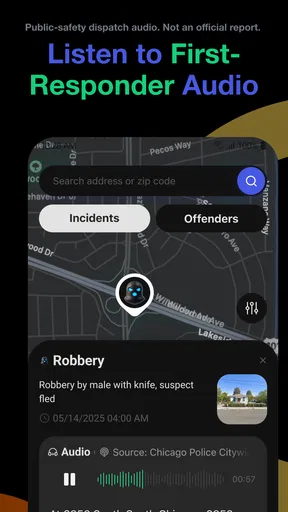
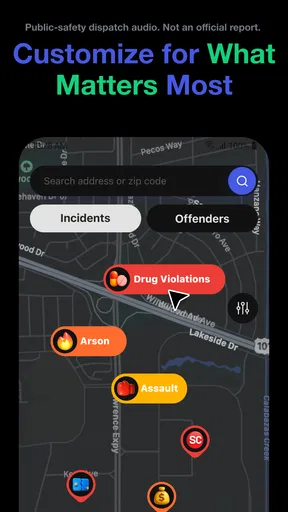
The app offers real-time updates of criminal activities in your area, which is a major win if you want to stay informed about local happenings. You can customize notifications to get alerts about specific types of crimes, ensuring you only get the info you care about. It feels a bit like having your own personal crime analyst in your pocket.
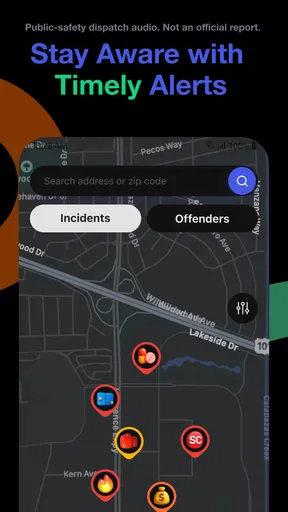
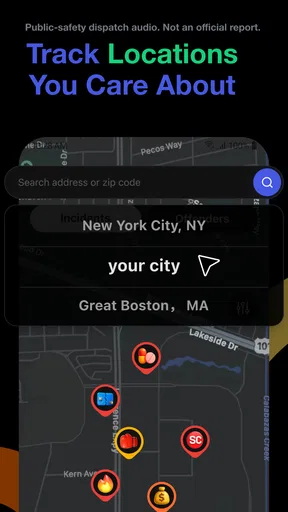
Another cool feature is the interactive map. It's not just any map; this one shows you hotspots of criminal activity. You can zoom in and out to get a detailed view of what's happening around your neighborhood or anywhere else you’re interested in. It's almost like playing detective, minus the trench coat and magnifying glass.
Usefulness in Daily Life
I found the app to be incredibly useful for planning my daily activities. Ever wanted to know whether it's safer to take a particular route home? Or maybe you're curious about which areas to avoid at night? CrimeRadar has got you covered. The app provides that extra layer of security, helping you make informed decisions about your travels and outings.
And for those of you who love a bit of community action, there's a feature to report crimes anonymously. It's a nice touch that empowers users to make their neighborhoods safer without the fear of repercussions.
A Few Things to Keep in Mind
While I thoroughly enjoyed using CrimeRadar, it's important to remember that the app relies on data that may not always be 100% accurate. So, while it's a fantastic tool for awareness, always use common sense and other sources of information when making decisions based on its data.
Also, the app is quite data-heavy, especially if you’re using the map feature extensively. Make sure you have a reliable internet connection to get the best experience.
Those limitations affect how I would use the map more than whether I would keep it installed. I would check an area before heading out, rather than leave the screen open while traveling, and I would avoid interpreting a cluster as a precise prediction of what will happen next. A hotspot is a broad cue for awareness; it is not a personalized risk score for a particular person, doorway, or moment.
Notifications are another place where a little restraint can make the app more useful. Choosing only the alerts that matter to you should make it easier to notice relevant updates without turning every phone buzz into a reason to change plans. If you share a device, agree on who manages those preferences and who is expected to act on an alert. That prevents an alert from being mistaken for a message meant for every member of the household.
CrimeRadar is free, and Scoopz LLC is the developer. Its average rating is 4.8 from around 6,300 ratings, with roughly 1,200 written reviews and over 500,000 installs. It is a news and magazines app, rated for everyone, and its current version is 25.51.0. The release date is May 22, 2025, and it requires Android 8.0 or later. Those details make it easy to assess whether it fits your device and expectations, but popularity alone does not tell you whether its local coverage suits your neighborhood.
What I would check before making it part of a routine
Before depending on the app for regular planning, I would spend a few days comparing what it shows with the local sources I already trust. That is not about demanding that every report match perfectly; it is a way to learn what the map is useful for in the places you actually go. If its alerts help you notice information you would otherwise miss, it may earn a place in your routine. If the coverage feels distracting or does not answer your practical questions, there is no need to force it.
I would also decide in advance what an alert should change. For example, it might prompt a quick look at another route or a check of an official update, not an automatic cancellation of plans. That distinction keeps the app helpful without letting an uncontextualized notification dictate a household’s movements. For urgent decisions, direct communication and appropriate local services remain the sensible choice.
Final Thoughts
Overall, CrimeRadar is a fantastic app for anyone wanting to stay informed about crime in their area. It's easy to use, packed with useful features, and gives you a real sense of security. Whether you're living in a bustling city or a quiet suburb, having this app on your phone feels like a smart choice. So, if you're curious about what's happening around you — and want a tool that helps you stay safe — give CrimeRadar a try.
My recommendation comes with one important qualification: I would describe it as an awareness aid, not a promise of safety. Its map and alerts can give a household a useful shared reference, while good judgment, reliable local information, and clear communication still do the heavier work. If that is the role you want from a free safety-focused app, it is worth trying; if you need authoritative emergency guidance or guaranteed route conditions, choose a more direct source for that need.
Privacy and Permissions
See what permissions an app requests and how it handles your data.
- Location
- approximate location (network-based), precise location (GPS and network-based)
- Photos/Media/Files
- read the contents of your USB storage, modify or delete the contents of your USB storage
- Storage
- read the contents of your USB storage, modify or delete the contents of your USB storage
- Camera
- take pictures and videos
- Microphone
- record audio
- Wi-Fi connection information
- view Wi-Fi connections
- Other
- view network connections, full network access, close other apps, control vibration, prevent device from sleeping, toggle sync on and off, Google Play license check, read Google service configuration
Verdict
Strengths of CrimeRadar: Dispatch Alerts
- Intuitive user interface for easy navigation.
- Provides real-time crime data updates.
- Customizable alerts for specific areas.
- Detailed crime statistics and trends.
- Supports community safety initiatives.
Limitations of CrimeRadar: Dispatch Alerts
- Limited coverage in rural areas.
- Requires constant internet connection.
- Some features are behind a paywall.
- Occasional inaccuracies in data reporting.
- Notifications can be overwhelming.
Other Releases by Scoopz LLC
View All
LocalAll - Everything Local
Lifestyle4.7
Similar Picks in This Category
View All
Google News - Daily Headlines
Google LLC4.0

X
X Corp.4.8

Flipboard:Your Social Magazine
Flipboard3.4

Opera News: breaking & local
Opera4.5

Hindi News by Dainik Bhaskar
Dainik Bhaskar Group4.0

Way2News Daily News App
Way2News ( Formerly Way2SMS )4.6
Frequently Asked Questions
What is CrimeRadar and how does it work?
CrimeRadar is an innovative app designed to provide users with real-time crime data and alerts based on their location. By using advanced algorithms and accessing a vast database of crime reports, the app offers insights into crime trends, helping users stay informed and make safer decisions about their surroundings.
Is CrimeRadar available for both Android and iOS?
Yes, CrimeRadar is available for download on both Android and iOS platforms. Users can easily find it on the Google Play Store for Android devices and the Apple App Store for iOS devices, ensuring accessibility for a wide range of smartphone users.
How accurate is the crime data provided by CrimeRadar?
CrimeRadar utilizes data from multiple reliable sources, including local law enforcement agencies, to ensure accuracy. While the app strives to provide the most current and precise information, users should be aware that crime reporting can vary by area and may not be exhaustive.
Does CrimeRadar require a subscription or is it free to use?
CrimeRadar offers a free version with basic features accessible to all users. However, for those seeking more comprehensive data and additional features, a premium subscription is available. This ensures users can choose the level of service that best fits their needs.
Is my personal information safe with CrimeRadar?
CrimeRadar prioritizes user privacy and employs robust security measures to protect personal data. The app only requests necessary permissions to function effectively, and users can adjust privacy settings according to their comfort level. Always review the app's privacy policy for detailed information.
